Open Help from Portfolio Boss’s main navigation when you need an explanation or a tutorial. The current Help area has FAQ and Tutorials tabs, with links to the online user guide.
Use FAQ and Tutorials
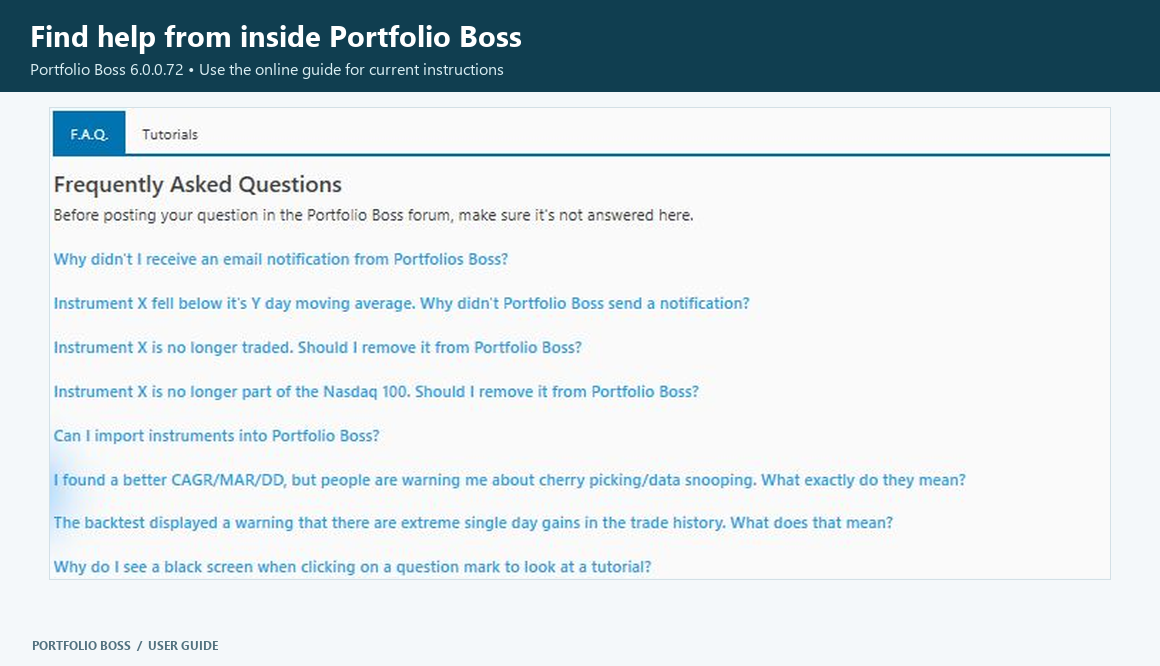
Selecting FAQ opens the online Frequently Asked Questions page in your browser. It is not the old in-application accordion described by earlier screenshots. Use Tutorials for the tutorial resources offered by your installation.
Start with the current FAQ, the Quick Start Guide or the User Guide Overview.
Use help beside a control
Question-mark or tutorial icons provide help related to the nearby feature. You can show or hide tutorial icons in Settings → Miscellaneous → Tutorial, or press F2 to toggle them.
When an older screenshot differs from your application, check the version note and use the current control name. For example, the strategy workspace is now called Strategy Builder.
Prepare a useful support request
Include the version from About Portfolio Boss, the action you were taking and the exact error message. A focused screenshot of the affected area is often more helpful than a full desktop image. Hide email addresses, account identifiers and other private details before sharing screenshots.