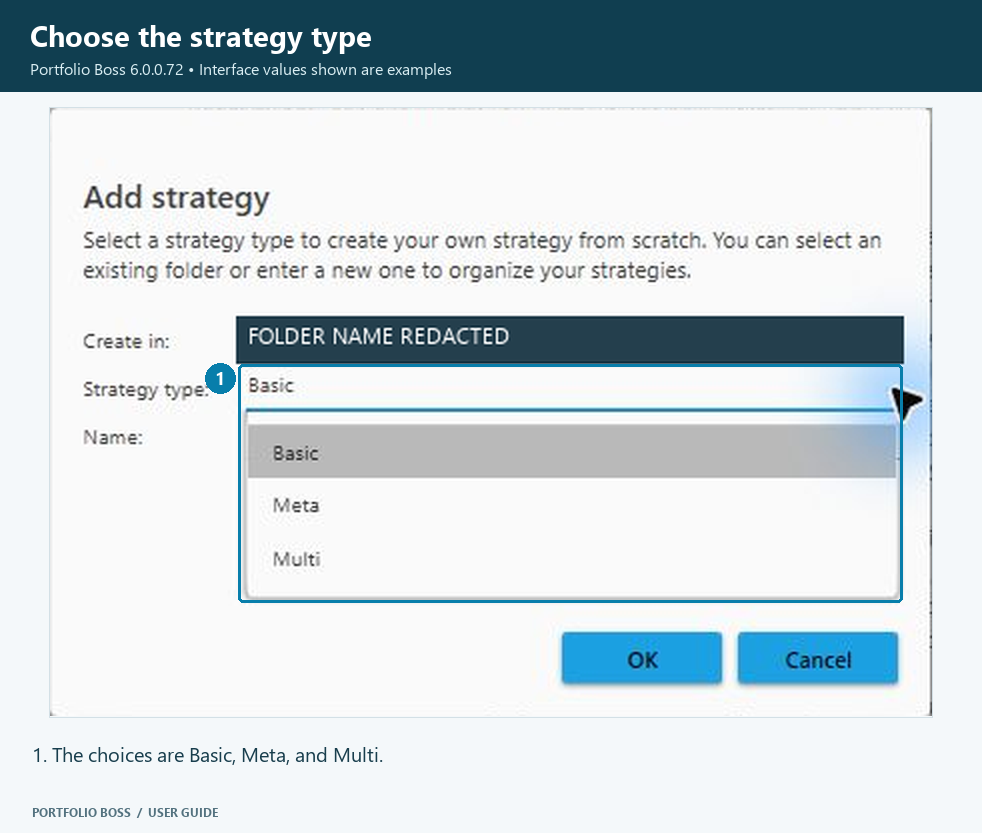
Portfolio Boss offers three strategy types: Basic, Meta and Multi. These are the labels in the current Add strategy dialog. They describe how the strategy is constructed, rather than whether it is currently trading in an account.
Choose the right type
| Type | What it does | Where to begin |
|---|---|---|
| Basic | Uses instrument portfolios, system settings, buy and sell filters, and ranking rules to define its behavior. | Strategy Builder Overview |
| Meta | Treats Basic strategies as the items it selects and evaluates. The underlying trades still involve the instruments held by those strategies. | Meta-Strategy |
| Multi | Combines strategies in weighted allocations, parent/child stacks, or both. | Multi-Strategy |
Start with a supplied template
Every edition, including the free version, includes the Evo Engine Template. It gives new users a guided starting point for machine learning. Follow the Quick Start Guide to find it and make a working copy.
The availability of other strategy types, advanced features and cloud resources can depend on the edition or account. The presence of a selector in an example screenshot does not establish an entitlement for every feature.
Create the strategy
Open Strategy Management → New → Strategy, choose the destination folder, select the type and enter the name. See Managing Your Strategies for creation, copying and backup.