Use About Portfolio Boss to identify the installed version, review release notes and check for updates. This guide refresh was reviewed against 6.0.0.72.
Read the About window
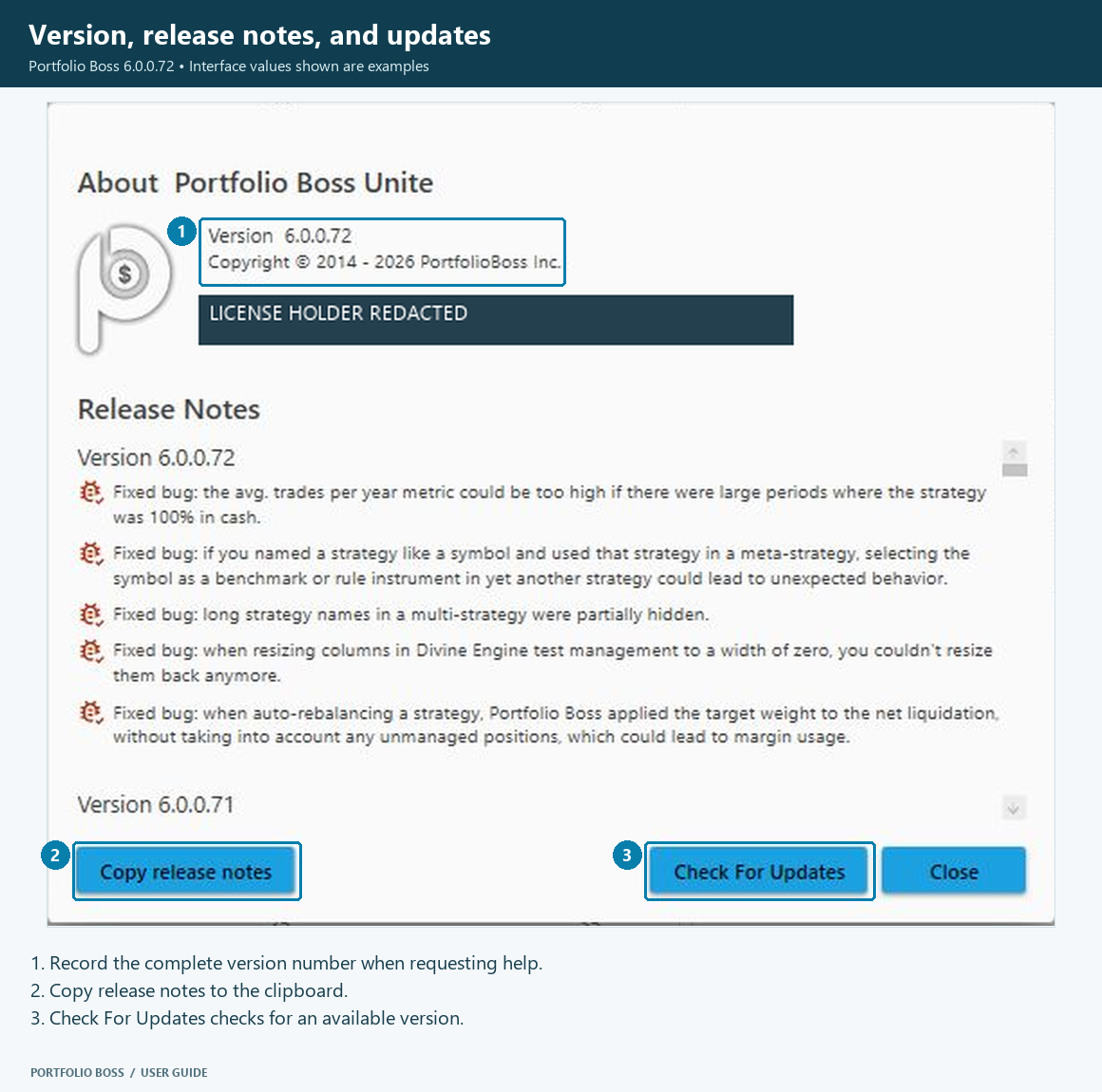
Open About Portfolio Boss from the application’s About control. Read the version displayed in the window and the release notes for that installation. The version shown in this article is the reviewed build, not a claim that it will always be the latest release.
Copy release notes
Click Copy to copy the release-note text. This is useful when documenting a change or discussing a version-specific issue with support. Check copied text and screenshots before sharing personal license details.
Check for an update
- Save or finish your current work and consider your active tests or trading workflow before updating.
- Click Check for Updates.
- Read the application’s update message and follow the instructions it presents.
- Use Close when you have finished reviewing the About window.
Maintain a recent master database backup. Automatic database backups made during upgrades serve a different purpose from a regular backup of your work.