Open Settings → Automation to control Windows startup, trading-dashboard email notifications, mail delivery and the cutoff for waiting on late market data.
Start Portfolio Boss with Windows
Enable Automatically start Portfolio Boss on Windows startup if you want the application to open when Windows starts. Application startup and test-queue resumption are separate preferences: see Miscellaneous → Divine Engine for automatic queue resumption.
Set up trading notifications
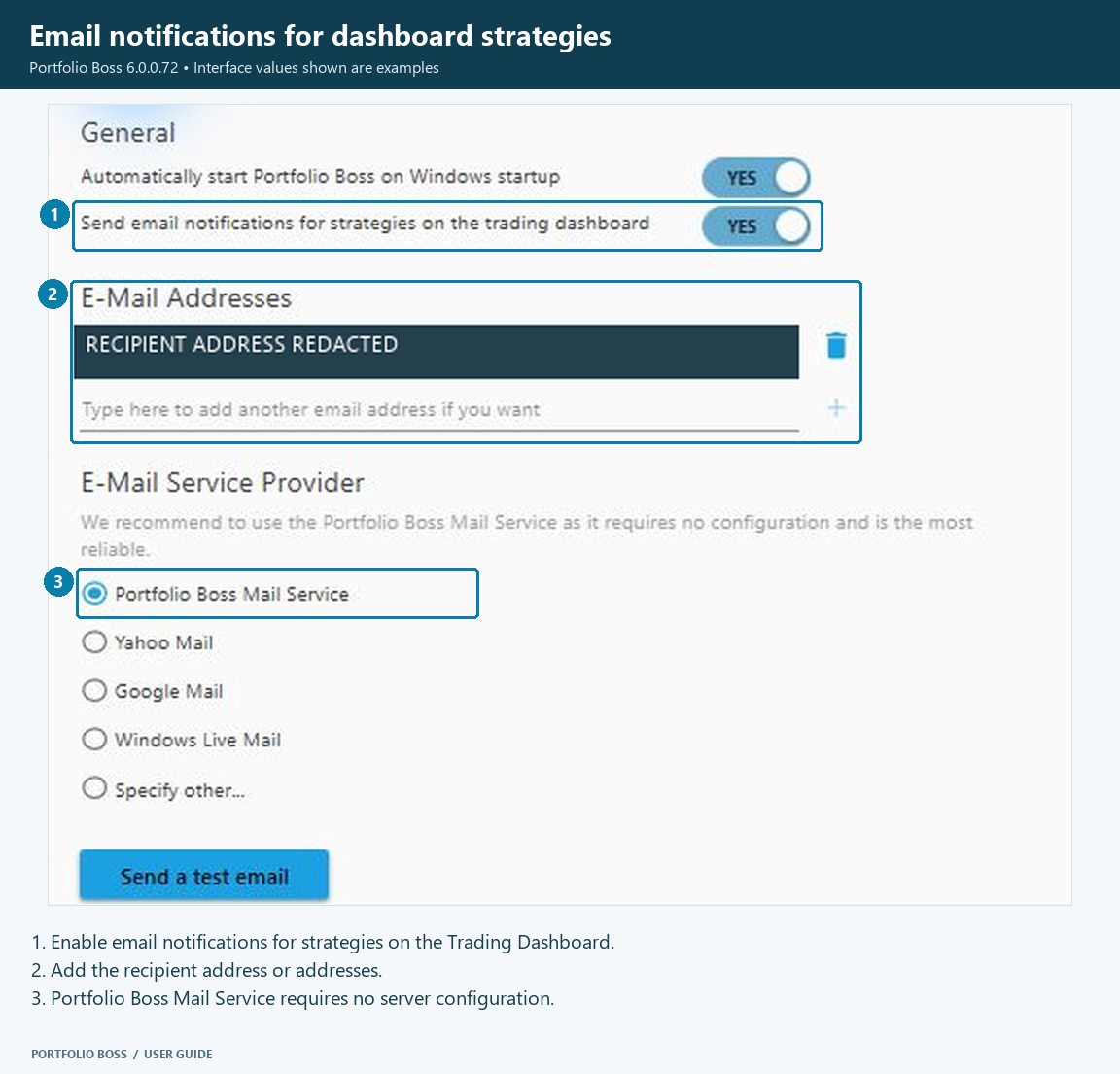
- Enable Send email notifications for strategies on the trading dashboard. This is the current global notification control.
- Review the recipient list and add the email addresses that should receive these notifications.
- Choose the mail service. Portfolio Boss Mail Service is the simplest built-in option and does not require you to enter a separate outgoing-mail server configuration.
- If you choose another provider, complete the fields the application displays, such as server, port, username and password, using that provider’s current requirements.
- Use Send test email to check delivery, then check the recipient inbox and spam folder.
The provider selector also offers Yahoo Mail, Google Mail, Windows Live Mail and a custom-server option. Provider authentication requirements can change; an old password-only setup example may no longer apply.
Understand the late-data cutoff
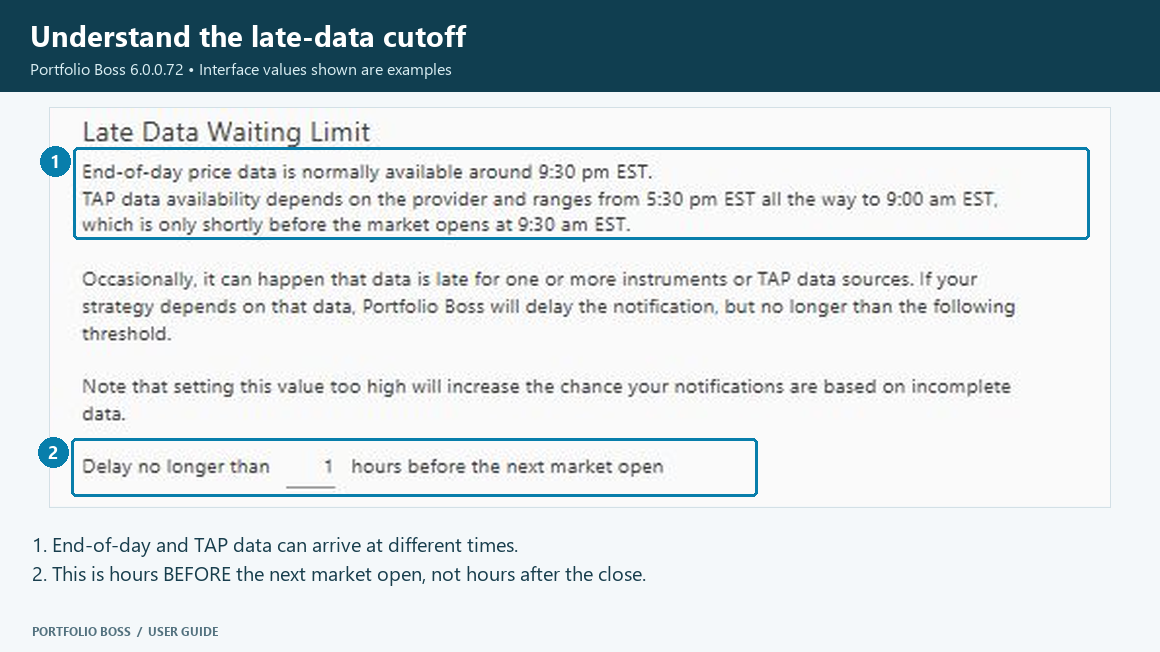
Portfolio Boss waits for the market data needed to prepare its calculations. The current screen describes ordinary end-of-day availability at approximately 9:30 p.m. EST. For TAP data, it shows a wider provider window from approximately 5:30 p.m. EST to 9:00 a.m. EST, before the next 9:30 a.m. market open. These are the estimates shown by the application, not a delivery guarantee or a fixed email schedule.
The late-data setting specifies how many hours before market open Portfolio Boss stops waiting. A larger number means an earlier cutoff and less time for delayed data to arrive. A smaller number waits closer to the open. Review the actual data status when a provider is late; an early cutoff can leave calculations based on incomplete data.
Use Sync Details to inspect download progress and messages. A notification is not confirmation that a broker order was filled; inspect orders and broker positions in the Trading Dashboard.